Can You Learn Piano on a Tablet? An Honest Beginner’s Guide
The question comes up almost every week: can I learn piano on a tablet? My phone? An app I downloaded for free? You don’t want to drop hundreds or thousands of dollars on a real piano before you know whether you’ll stick with it. That’s reasonable.
Here’s the honest answer. Yes, you can learn the absolute basics on a tablet. No, you cannot become a real piano player that way. The good news is the gap between “no instrument” and “real instrument” is much smaller and cheaper than most people think. This guide lays out the ladder.
The Short Answer
A piano app on a tablet can teach you note names, basic rhythm, and how to read a simple staff. That’s genuinely useful. Those are real skills you’d otherwise pay a teacher to introduce. If you’re trying to find out whether music interests you at all, an app is a fair test. It can show you some beginner piano chords too; what it cannot do is hear whether your hand is relaxed.
But a tablet screen is not a piano. You are tapping glass on a small, cramped keyboard with no key resistance and no dynamic range, which makes real two-hand playing impractical. Almost nothing you learn about touch or key weight on glass carries over to a keyboard. The note names and the reading do.
You’ll learn something. You won’t learn piano.
What Tablet-Only Apps Actually Teach
Most piano apps are built to listen to a real keyboard, and their on-screen keys are a fallback for people who do not have one yet. Used honestly, that fallback teaches you:
- Where the notes are on a keyboard, by name.
- How to read simple sheet music in treble and bass clef.
- Basic rhythm and counting.
- How to identify intervals by ear, to a small degree.
- The general logic of how chords and scales work.
That’s a real chunk of music theory and notation. If you spent a month on an app, you’d come out ahead of where you started.
What apps don’t teach: hand position, finger independence, the feel of weighted keys, how to use the sustain pedal, how to produce a controlled tone, how to coordinate two hands playing different patterns. Those are everything that distinguishes a piano player from someone who knows the names of notes.
When You’ll Hit the Wall
In our teachers’ experience, app-only learners tend to hit a wall within a few months. The exact symptoms vary, but it tends to look like this. You can read notes at a beginner level. You can identify chords. You’re tapping along to a song on the screen and the app says you’re doing it right. But when you sit at an actual keyboard, your hands don’t know what to do. The thing you were “playing” on glass doesn’t translate.
The wall isn’t a sign of failure. It’s a sign you’ve hit the limit of what the medium can teach. At that point, you have two choices: stop and tell yourself piano isn’t for you, or step up to a real instrument and learn what an app can’t show you.
The students who do well are the ones who treat the app phase as exploration and accept that real piano begins when there’s a real keyboard under their hands.
The Equipment Ladder
The good news is the financial barrier to a real instrument is much lower than people assume. Here’s the realistic ladder, from minimum to actual piano, with approximate US prices as of 2026. Model names change every few years, so treat the tiers as the guide and the names as examples.
$0: Tablet apps only. Useful for the first few months. Treat as exploration, not real piano.
$100-$250: A beginner electronic keyboard with 49-61 keys and built-in speakers. Better than tablet, but the keys still don’t feel like a piano. You can practice finger numbering and hands-together coordination at a basic level. Good as a stepping stone, not a long-term solution. A MIDI keyboard sits in the same price band and is the one thing to watch for here. It is a controller rather than an instrument: it makes no sound of its own, and it has to be connected to a computer, tablet or phone running a piano app, with speakers or headphones, before it will play a note. If you want to sit down and play, buy the keyboard with the speakers in it.
$300-$600: A 76- or 88-key keyboard with semi-weighted keys, or an entry digital piano with 88 fully weighted keys at the top of the range. This is where real practice starts. Entry fully weighted 88-key models from Yamaha, Casio and Roland start around $450 to $600, which is where our guide to digital pianos vs keyboards for beginners points committed beginners. You can develop hand position, dynamics, and real technical fundamentals, and many beginners stay at this level for years before upgrading.
$700-$1500: A mid-range digital piano with better hammer action and better piano samples. The Yamaha P-series, Roland FP-series and Kawai ES-series models in this band (P-225, FP-30X and up) feel closer to an acoustic and have stronger speakers. This is a real piano substitute. You can practice serious technique, dynamics, and pedaling, and plenty of students go through advanced repertoire on these.
$2000+: Higher-end digital pianos. Optional for most students. The jump from a good digital piano to an acoustic is real but not necessary for years of progress. Used acoustic uprights do not sit in a price band at all: they change hands anywhere from free to several thousand dollars, depending on the instrument and on how badly the seller wants the room back. The costs to plan for there are the ones that are not on the sticker, moving it, which typically runs several hundred dollars, and tuning, which recurs once or twice a year for as long as you own it.
The sweet spot for most adult beginners is the $300-$600 tier. That gets you something genuinely playable without committing thousands before you know whether piano sticks.
How Online Lessons Use the Tablet
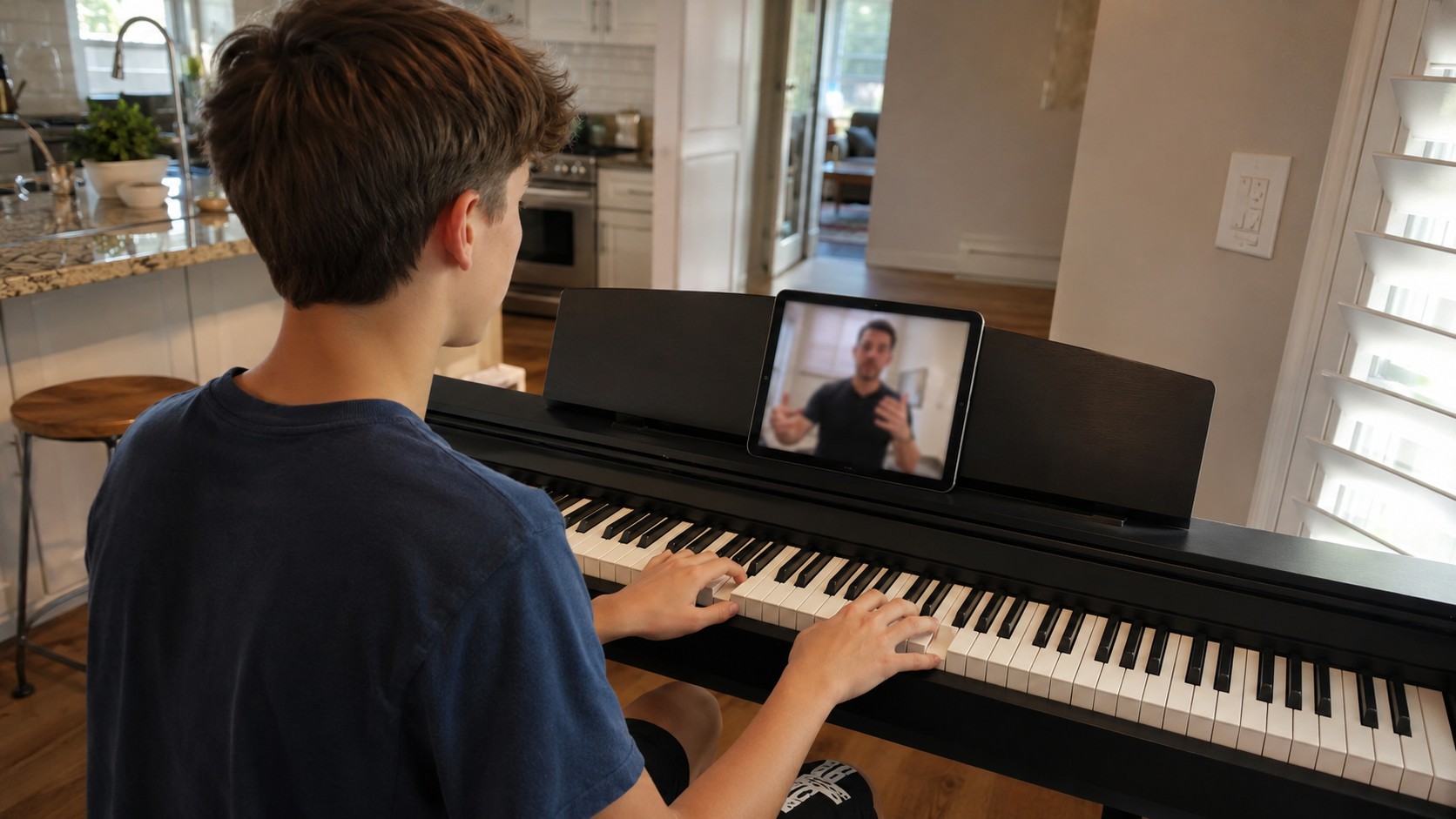
Once you have a real keyboard, a tablet still has a role, just not as the instrument. In a typical online lesson, the tablet sits next to your keyboard as your sheet music display, your video-call screen, or both.
A common setup:
- Laptop or second tablet positioned to show your hands to the teacher.
- Main tablet on a music stand with your sheet music open in a notation app like forScore or simply as PDFs.
- Keyboard speakers left on so the device microphone can hear you play. Plugging headphones into the keyboard mutes its speakers on nearly every model, and your teacher would hear only your voice. If you want cleaner sound than the microphone gives, there are two separate routes and they are easy to confuse. One is to run the keyboard’s headphone or line output into an audio interface and select the interface in the call. The other is a direct USB connection, which works only if the keyboard’s spec sheet lists USB Audio rather than only USB to Host or USB MIDI, because on most keyboards in these price bands the USB port carries note data and no sound at all. Check the manual before you buy a cable.
Many students do all of their practice with the tablet showing sheet music, never going back to printed paper. Annotating digitally with a stylus is fast and you don’t lose your markings the next week. If you’re new to the online format, our first online music lesson guide walks through equipment setup.
The Part the Screen Cannot See
Jason W. teaches online and names technique and hand position as the hardest things to carry through a screen, because the small details get lost on the way. His fix is more cameras and more angles, so a student sees exactly what a hand is doing and does not have to unlearn it a year later. An app has one angle and it is pointed at the keys rather than at you. That is the real limit of tablet learning, and it is not a software problem. Nobody is watching your wrist.
Here is the same material with a teacher attached. Sabrina L. works through major and minor triads and the intervals inside each one, which an app can show you but cannot check you on.
Skill video · Major and Minor Triads
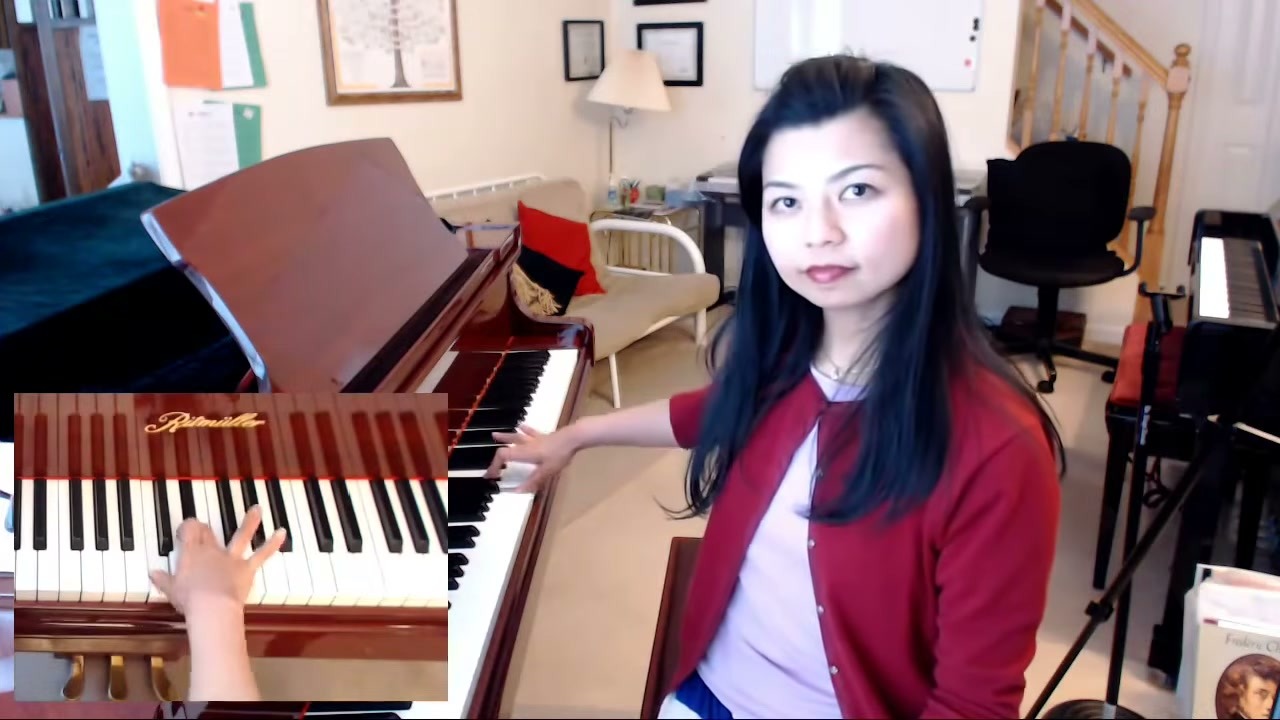
Sabrina teaches piano on Tunelark. View Sabrina’s profile
How to Find a Piano Teacher on Tunelark
Once the tablet app has done its job as a starting point and you’re ready for the next step, a teacher makes the difference between flailing and progressing. Many Tunelark teachers are comfortable working with students on modest keyboards and will help you make the most of what you have.
1. Open the teacher list and filter by piano.
2. Read bios. Look for teachers who mention working with adult beginners or who specifically note flexibility with student equipment.
3. Book a trial lesson with one whose profile resonates.
4. After the trial, ask: did this teacher offer practical guidance for your setup, or only push you to upgrade equipment immediately?
Our beginner piano tips article goes deeper into how to build solid habits on whatever keyboard you have. The tablet might have gotten you started. Now’s the time to move past it.
Frequently Asked Questions
Can I really learn piano with just an app and no keyboard at all?
You can learn notation, basic theory, and some rhythm. You can’t learn the physical skills of piano playing (hand position, finger independence, dynamics) without a real keyboard under your hands.
What’s the cheapest real keyboard to get started?
Around $100-$250 will get you a basic 49-61 key keyboard with unweighted keys and its own speakers. It’s not ideal but it’s a real start. Skip the MIDI controllers at this price, because a MIDI keyboard makes no sound until it is plugged into a computer or tablet running a piano app. Used keyboards in good condition often go for half that.
Do online piano teachers care if I have a cheap keyboard?
Most don’t, especially at the beginner level. Good teachers meet you where you are and adapt to your equipment. They’ll usually recommend an upgrade when you’ve outgrown your current setup.
Is a tablet useful at all for piano practice?
Yes, as a sheet music display and as part of your online lesson setup. Just not as your instrument. Tablets shine when paired with a real keyboard, not in place of one.
How long can I practice on a basic keyboard before I need to upgrade?
Most students get six months to a year out of a $100-$250 stepping-stone keyboard before they want better-weighted keys. By that point you’ve learned enough to know whether piano is sticking and the upgrade decision is easy.
Looking for an online piano teacher? See our full Online Piano Lessons page for everything you need to know about getting started.
Keep reading
About Jennifer Heath
I'm Jennifer Heath, VP of Operations at Tunelark and a lifelong singer. I joined the company in 2020 and oversee much of what makes Tunelark work for students and teachers: hiring, training and supporting our instructors, student support, marketing and day-to-day operations. I started voice lessons at 7 and sang with touring choirs through my teens. Music belongs in every life, for the self-expression, the discipline, the comfort and the simple joy of it.